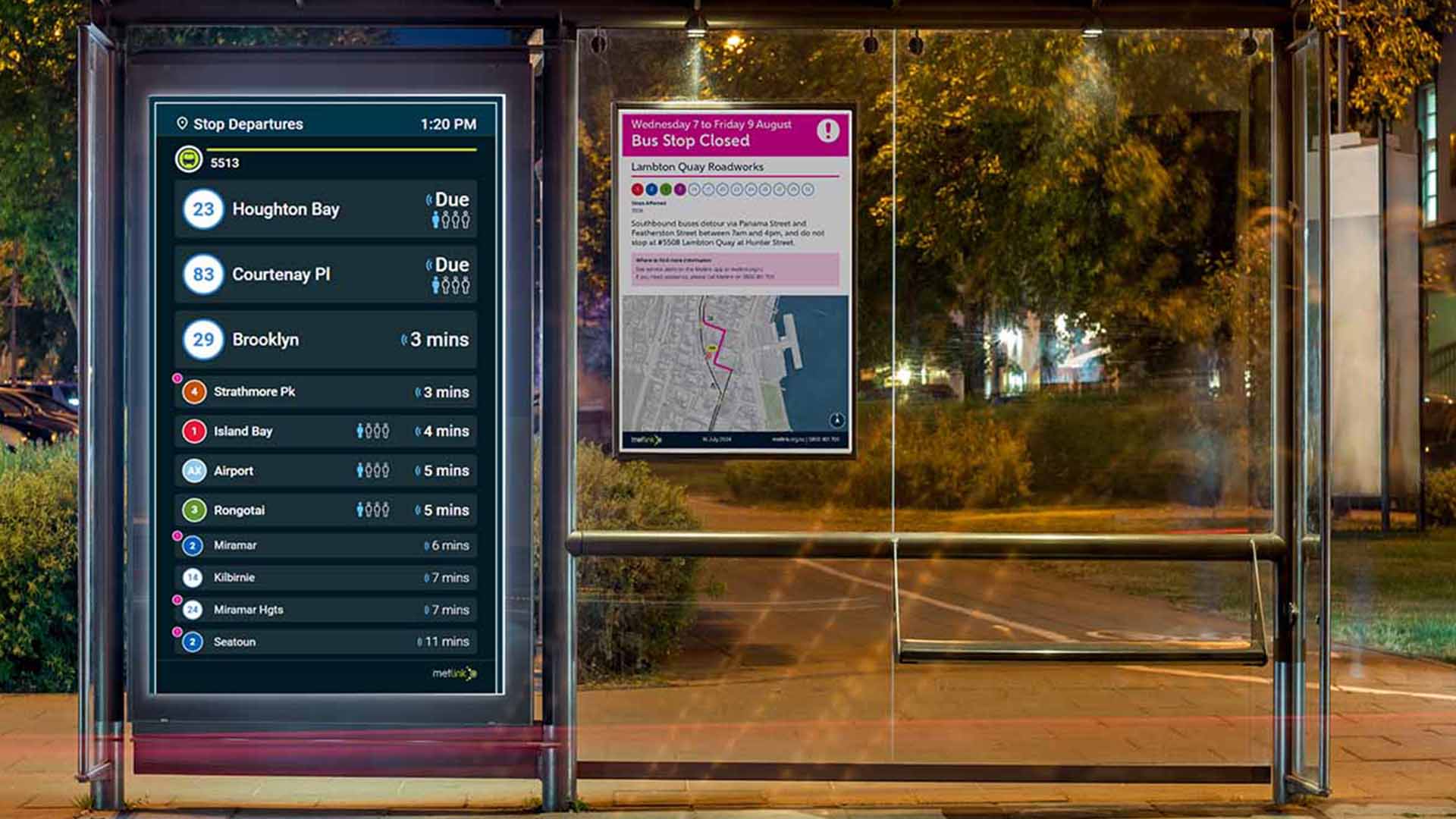
Screen design is the practice of planning how information, layout and interaction appear on a screen so people can use it quickly. Good screen design shortens the time between a person looking at a display and knowing what to do next.
This article sets out the core principles of screen design, then analyses how those principles apply in practice through the digital screens Somar Digital has designed with Metlink, the public transport network for the Wellington region.
Key Takeaways
- Screen design is the practice of planning how information, layout and interaction appear on a screen so people can use it quickly.
- Effective screen design rests on five principles: visual hierarchy and layout, legible typography, purposeful colour and contrast, accessibility, and suitability for the screen size and viewing distance.
- Public transport is a demanding setting for screen design because passengers are in a hurry, view screens from a distance and face variable lighting.
- The Metlink digital screens apply these screen design principles through real-time information, paired visual and audio announcements, consistent branding and staff control of content and layout.
- Accessible screen design, guided by the Web Content Accessibility Guidelines (WCAG), improves clarity for every viewer.
- Test every screen design with real users, in real conditions and against accessibility standards.
What is Screen Design?
Screen design is the discipline of deciding what appears on a screen, where it appears, how it looks and how people interact with it. It covers layout, typography, colour, spacing, imagery and the behaviour of any interactive elements. The aim of good screen design is a display that people can read, understand and act on without needing instructions.
How Screen Design Differs from Web Design
Web design focuses on websites that people browse, scroll and explore at their own pace. Screen design takes a broader view of the display itself, including public information screens, kiosks, in-vehicle displays and dashboards. These screens often have a fixed layout, limited or no interaction, and a much shorter window of attention.
The two disciplines share methods such as user research, wireframing and accessibility checks. But where a website can rely on navigation menus and search, a screen design for a public display has to put the right answer in front of the viewer immediately.
Why Screen Design Matters for Glanceable Screens
Many screens need to be designed so that they can be read in seconds. Like a commuter rushing to catch their train and checking a departure board, or a customer using a self-service kiosk. They want a specific piece of information and they want to be able to understand it as quickly as possible. Poor screen design forces these people to search for it, which costs time and increases the chance of error.
Key Principles of Good Screen Design
Here are five principles that shape effective screen design work. Each one can be tested against a simple question: does it help the viewer find and understand the information faster?
1. Visual Hierarchy and Layout in Screen Design
Visual hierarchy tells the viewer where to look first, second and third. In screen design, hierarchy comes from size, position, weight and spacing. The most important item should be the largest or most prominent, and related items should sit together.
A consistent layout is important because when each screen in a system follows the same grid and placement rules, viewers learn where to find information and read faster over time. White space also plays a functional role in screen design by separating groups of content and giving the eye places to rest.
2. Typography and Legibility
Choosing an appropriate typography is where screen design can succeed or fail at a distance. Legible type depends on typeface choice, size, weight, line spacing and letter spacing. For example, clean sans-serif typefaces with clear letterforms generally perform well on screens, particularly at a distance.
Hierarchy applies to type as well. A limited set of sizes and weights keeps the screen design tidy and signals which text matters most. Text that is too small, too light or set in a decorative typeface slows reading and excludes people with low vision.
3. Colour and Contrast
Colour in screen design carries meaning and creates emphasis. It should be used deliberately. A restrained palette that follows brand standards helps people recognise the source of the information, while a small number of accent colours can draw attention to key details such as a delay or a service change.
Contrast is the measurable part of colour. The Web Content Accessibility Guidelines (WCAG) set minimum contrast ratios between text and background, with 4.5:1 for regular text and 3:1 for large text at the AA level. Screens used in bright or variable light benefit from going beyond these minimums.
4. Accessibility and Inclusive Screen Design
Accessible screen design means people with a wide range of abilities can perceive, understand and use the display.
In practice, inclusive screen design includes strong contrast, readable type sizes, clear language, consistent layouts and alternatives to visual information, such as audio. It also includes people who are new to a place, people who may not be fluent in English and people who are viewing the screen under stress. Designing for these needs improves the screen design for everyone.
5. Designing for Different Screen Sizes and Viewing Distances
A screen design that works on a phone can fail on a large display mounted several metres away. Viewing distance changes the minimum size of text and icons, and it changes how much information a viewer can take in. A common guideline is that letter height should increase as viewing distance increases.
Different screen sizes also call for different amounts of content. A small in-vehicle display might show one key item at a time, while a larger stop display can show a list. Good screen design adapts the content and layout to the context rather than simply scaling a single layout up or down.
Designing Screens for Public Transport
Public transport is one of the most demanding environments for screen design. The information changes constantly, the audience is varied and the viewing conditions are not always ideal.
Key Considerations When Designing Screens for Public Transport
Three factors make transport screen design difficult:
- People are in a hurry: Passengers want to confirm a time or a stop and move on.
- Viewing happens at a distance: Many displays are read from several metres away, often by people who are moving.
- Lighting varies: Direct sun, glare, night-time darkness and reflections all affect how a screen looks.
These conditions mean that screen design for transport needs high legibility, strong contrast and a clear sense of priority.
What Passengers Need to See First
The kind of information a passenger needs to see first is dependent on what the purpose of the screen is. A common example is a screen at a bus or train stop. In this case, a passenger wants to know when the next service is and if it is on time or delayed. Supporting details such as points of interest, transfer options or general notices come after that.
Good screen design reflects this order. The primary information is large and positioned where the eye lands first. Secondary information is smaller and grouped together. Anything that does not help the passenger make a decision in that moment can be removed or shown later.
Screen Design in Practice: Metlink Digital Screens
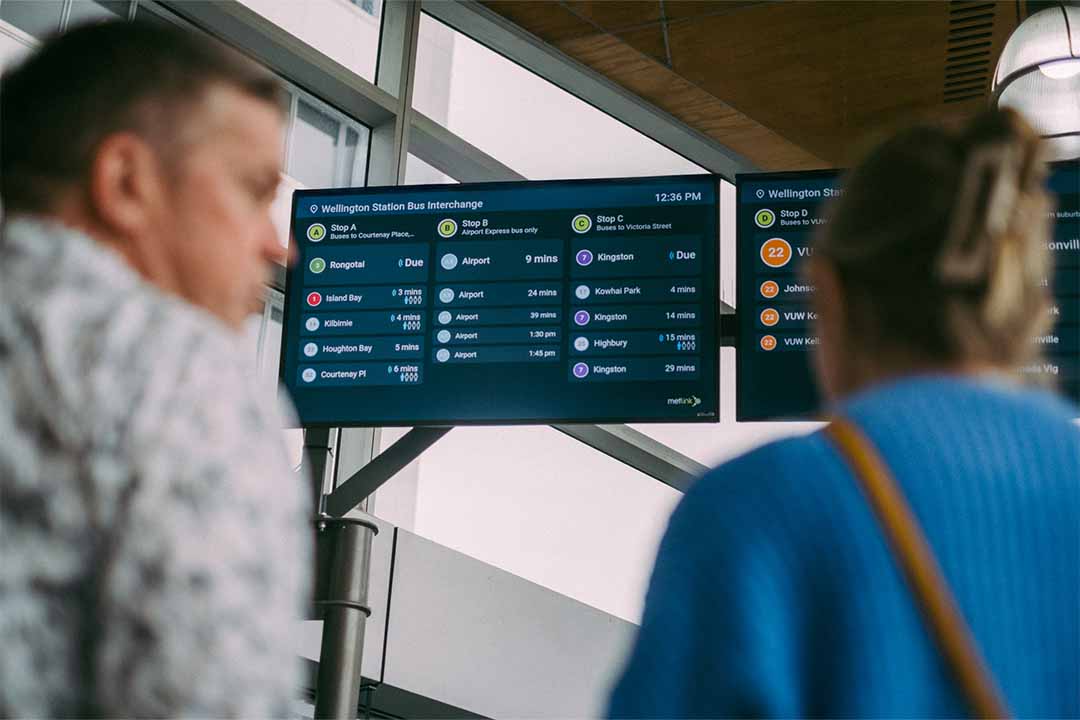
Somar Digital has worked with Metlink for more than a decade to design and build digital tools that deliver reliable, accessible and timely public transport information. The digital screens are part of that work, and they offer a useful example of how screen design principles apply in a real network.
The Brief
Metlink needed a way to present real-time information on digital displays and to give its own staff control over what those displays show. The screens had to work across a network of bus, and train, and they had to support passengers who rely on timely information to plan and adjust their journeys.
From a user perspective, passengers needed accurate, current information that was easy to read at a glance. Some passengers, including people with low vision or hearing impairments, needed that information to be available in more than one form, such as audio announcements on bus services. Infrequent travellers and visitors also needed reassurance that they were heading in the right direction.
Design Decisions and Why We Made Them
Somar Digital developed a cloud-managed software solution that powers Metlink's real-time digital displays. Several screen design decisions follow from the brief:
- Information priority: The screens give passengers real-time information as the first thing they see, such as next stop and transfer details on buses, so the most useful content is immediately available.
- Visual and audio together: On-bus screens are paired with audio announcements, which uses text-to-speech technology to give passengers the ability to see and hear next-stop information. This supports people with low vision or hearing impairments and benefits every passenger.
- Brand consistency: Metlink applies its design standards to every customer touchpoint, from printed flyers to app interfaces and digital screens. Applying the same standards to the screen design means passengers recognise Metlink information wherever they encounter it.
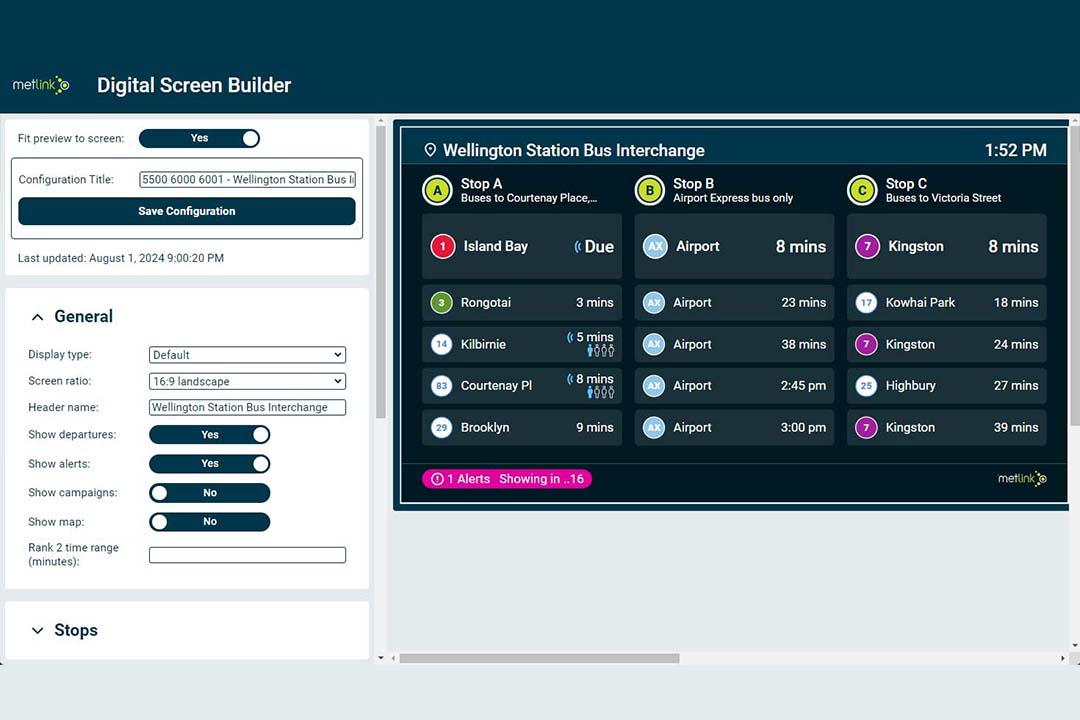
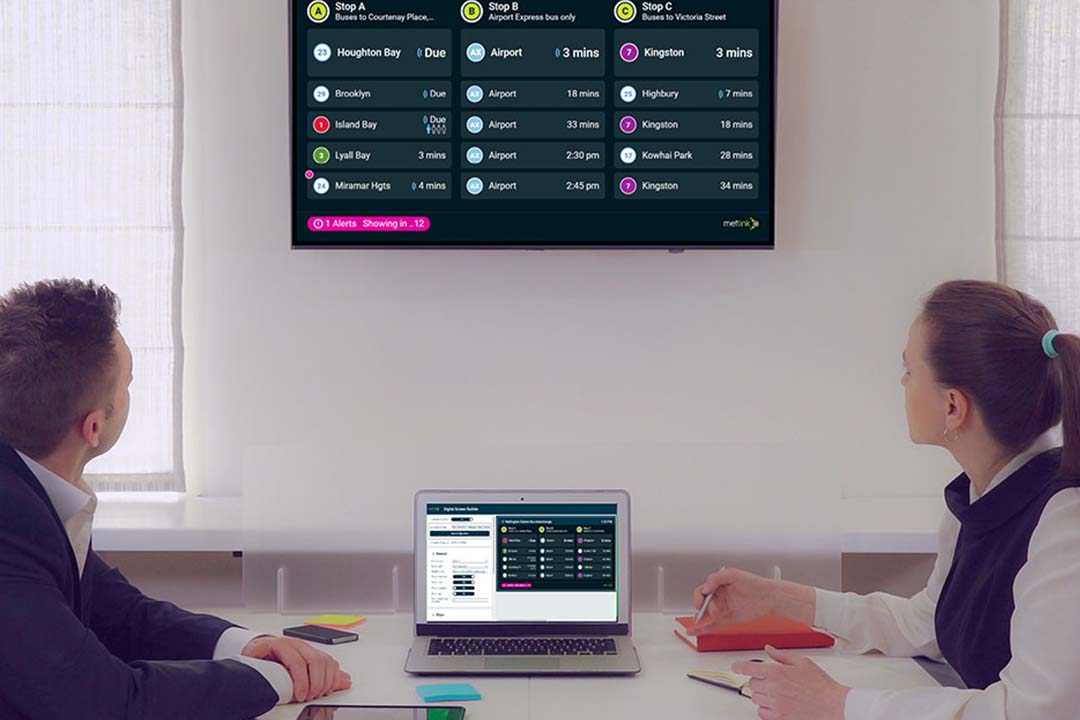
- Staff control over content and layout: The cloud-managed approach lets Metlink staff update content and adjust layouts without technical support, which keeps the screens current and consistent.
The idea behind these decisions is to reduce the effort a passenger needs to make to understand the information they need.
Outcomes
The result is a set of real-time screens that give Metlink passengers current information in a format designed to be read quickly. The on-bus screens and audio announcements provide next-stop and transfer information in real time, which improves independence for passengers with low vision or hearing impairments. They also provide helpful context for visitors and for infrequent travellers.
For Metlink, the cloud-managed system gives staff full control over content and layout, and the consistent screen design reinforces the Metlink brand across the network. The screens also work alongside the Metlink website and app, so passengers receive consistent real-time information through every channel.
Next Steps
Good screen design puts the right information in front of the viewer at the right moment, with as little effort as possible. The principles covered here, from visual hierarchy and legible typography to accessible colour and testing in real conditions, work together to make every screen design clear, usable and inclusive. The Metlink digital screens show how those screen design principles hold up in a demanding public transport setting.
Planning a screen design project? Somar Digital can help you shape a user-centred, accessible screen design that works for your audience. Get in touch with Somar Digital to talk through your goals.