Understanding Traditional CMS
A traditional CMS(external link), or Content Management System, is a software application that allows users to create, manage, and publish content on the web.
Traditional CMS platforms combine backend content management and frontend display, offering a simple, cohesive solution. They remain highly convenient and effective, particularly for projects with straightforward content delivery needs.
Despite the emergence of innovative approaches, traditional CMS platforms remain a cornerstone in web development, particularly for businesses seeking an all-in-one solution.
What is a Traditional CMS?
A traditional CMS is a platform that combines all aspects of content management and display in a single system.
Its architecture includes:
- Integrated Backend and Frontend(external link): The backend manages content creation and storage, while the frontend handles how the content is presented to the audience.
- Examples of Traditional CMS Platforms: Popular examples include WordPress, Joomla, and Drupal.
- Content Workflow: Users can easily create, edit, and publish content without needing advanced technical skills, making it a user-friendly option for many businesses.
Key Features of a Traditional CMS
Traditional CMS platforms are packed with features that streamline content management:
- (external link)WYSIWYG Editors(external link): Allow users to create and edit content with a live preview. WYSIWYG stands for "What You See Is What You Get", so the editor closely matches what visitors will see on the published page. Familiar formatting tools, similar to a word processor, let your team add headings, links, images and tables without writing code, and publish updates with confidence.
- Template-Based Designs: Ensure consistency across pages with pre-built templates. Templates set the layout, typography and branding once, so every new page follows the same structure. This keeps your site cohesive, supports consistent navigation and heading structures that help accessibility, and lets your team focus on the content rather than the design.
- User Management: Enable role-based access for team collaboration. Administrators can assign permissions by role. For example, authors can draft content, editors can review and approve it, and only trusted users can change settings or publish. This supports clear approval workflows, protects sensitive areas of your site, and helps larger teams work together with clear responsibilities.
- Media Libraries: Offer centralised storage for images, videos, and documents. Your team can upload files once, organise them in folders, and find and reuse them across the site. Adding alt text (a written description for screen reader users) as images are uploaded also helps keep your content accessible.
Benefits of Using a Traditional CMS
Traditional CMS platforms are popular for several reasons:
- Ease of Use: They feature intuitive interfaces, making them accessible to non-technical users. Editors can add pages, update text and publish changes from a single dashboard, with little or no developer support. This gives your team more independence and helps keep your content current.
- All-in-One Solution: Content creation, management, and display are unified in a single system. Because the backend and frontend work together, there is one platform to learn, maintain and secure. This simplifies day-to-day management and suits projects where content is delivered mainly to a website.
- Cost-Effectiveness: Many platforms, such as WordPress, offer free or low-cost options. Open-source software often has no licence fee, and ready-made themes and plugins can reduce the need for custom development. It's worth budgeting for hosting, security updates and ongoing support as well, so you understand the full cost of ownership from the start.
- Community Support: Extensive developer communities provide plugins, themes, and support resources. Documentation, forums and shared extensions make it easier to add features and solve problems without starting from scratch. Choosing well-maintained, trusted plugins helps keep your site secure and reliable.
Comparing Traditional CMS vs. Headless CMS
Traditional CMS platforms, however, excel in:
- Simplicity: Perfect for websites and blogs with straightforward needs.
- Ease of Deployment: Quicker to set up and manage for smaller projects.
- Built-In Preview and Publishing: Editors can see how content will look on the page before it goes live, without needing a separate front end.
- Lower Technical Overhead: With one system to host, maintain and secure, there's less ongoing complexity and less specialist development effort.
- Familiar Editing Experience: Non-technical teams can manage content with tools they already understand, which shortens training time and encourages adoption.
A headless CMS decouples content management from presentation, offering:
- API-Driven Delivery: Content is delivered to any platform or device using Application Programming Interfaces (APIs).
- Front-End Freedom: Developers can choose any technology or framework to build the presentation layer, so the user experience isn't limited by a single system's templates.
- Content Reuse: Teams can create content once and publish it to multiple channels, which keeps messaging consistent and reduces duplicated effort.
- Independent Scalability: The content and the front end can be scaled separately, which helps when traffic or channel demands grow.
CMS Examples
Here are some well-known examples of each type of CMS to help you compare your options.
Traditional CMS examples:
- Silverstripe CMS: An open-source platform developed in New Zealand, known for its flexibility, security and easy-to-use editing experience.
- WordPress: A widely used platform with a large library of themes and plugins, suited to blogs and small business websites.
- Drupal: A powerful platform often chosen for complex sites that need advanced content structures and permissions.
- Joomla: A flexible platform with built-in multilingual support and user management.
Headless CMS examples:
- Sanity: A scalable platform with customisable editing tools, well suited to delivering content across multiple channels.
- Contentful: An API-first platform designed for teams managing content across websites, apps and other digital products.
- Strapi: An open-source headless CMS that gives developers control over how content is structured and delivered.
- Storyblok: A headless CMS with a visual editor, which helps content teams preview their work while still benefiting from a flexible front end.
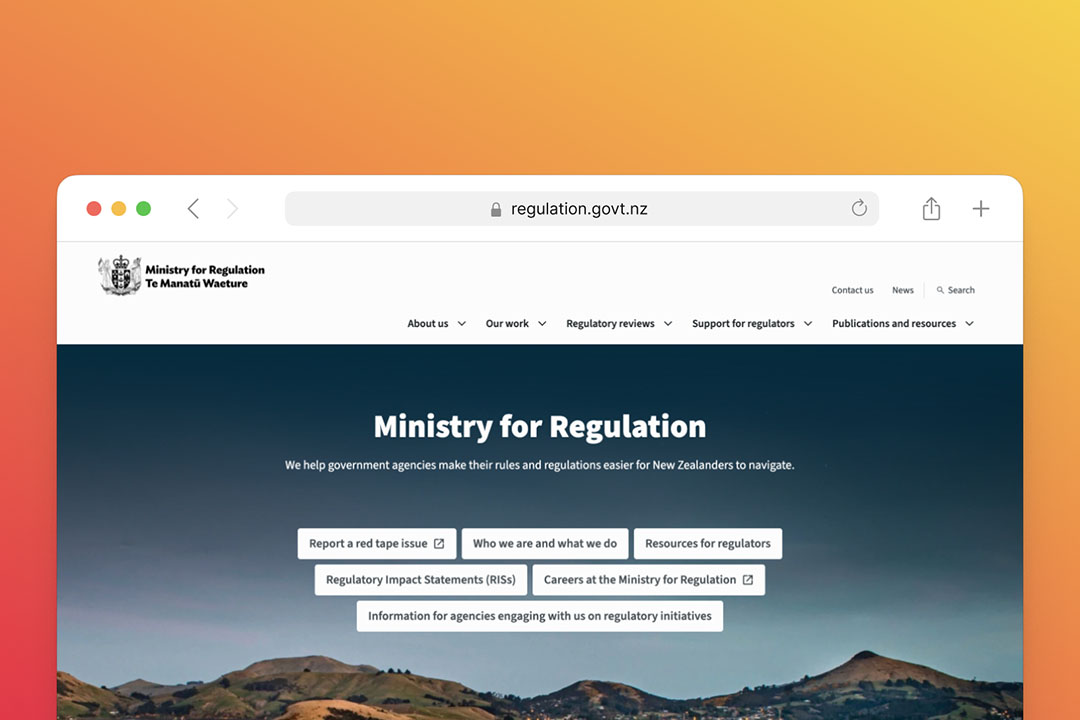
A Traditional CMS Example: Silverstripe CMS
What is Silverstripe CMS?
Silverstripe CMS is an open-source platform developed in New Zealand, blending the strengths of traditional CMS with modern capabilities.
Key Features of Silverstripe CMS
- Customisable Templates: Create unique designs tailored to specific needs.
- Developer-Friendly Framework: Offers flexibility for advanced customisation.
- Version Control: Enables users to roll back changes easily.
- Robust Security: Includes role-based permissions to safeguard sensitive data.
Why Choose Silverstripe CMS?
Silverstripe CMS strikes a balance between traditional and headless CMS approaches, making it ideal for:
- Government agencies
- Nonprofits and charities
- Large businesses needing tailored, secure solutions
Use Cases for Traditional CMS
Traditional CMS platforms are well-suited for:
- Small Businesses and Blogs: Perfect for users needing simple, low-maintenance websites.
- Community Websites: Easy to manage and update with local events or resources.
- Basic E-Commerce Sites: Suitable for smaller online stores with fewer integration needs.
Best Practices for Using a Traditional CMS
Maximise the potential of a traditional CMS by:
- Updating Regularly: Ensure software and plugins are up to date for security.
- Optimising for Performance: Use lightweight themes and plugins to reduce load times.
- Leveraging SEO Plugins: Improve search visibility with tools tailored for traditional CMS platforms.
- Backing Up Content: Protect against data loss with regular backups.
Somar Digital’s Expertise with Traditional CMS
Somar Digital has a proven track record of optimising traditional CMS platforms for businesses across New Zealand.
Their expertise includes:
- Custom Development: Crafting tailored solutions for unique business needs.
- Silverstripe CMS Projects: Delivering impactful results with this powerful platform.
- Client Success Stories: From nonprofits to large organisations, Somar Digital creates websites that drive results.
Conclusion: Is a Traditional CMS Right for Your Business?
Traditional CMS platforms remain a robust option for businesses seeking simplicity and efficiency.
For organisations with straightforward needs, traditional CMS solutions like Silverstripe CMS offer a blend of reliability and customisation.
Partner with Somar Digital to explore how a traditional CMS can elevate your online presence.